SharePoint 2010 - Simple LightBox effect for large images


First of all, I know this solution exists.

My particular attempt is to provide a much simpler solution

  • Address large-image blowing up your page layout problem
  • Lets your Content Editors tag images with the LightBox style easily
  • Re-use SP.UI.ModalDialog.showModalDialog to perform the LightBox effect
  • Requires JQuery, which I hope you already have loaded
  • Uses as little files as possible


Add a CSS style for Images

.ms-rteImage-LightBox {
    -ms-name: "LightBox";
    width: 650px;   
    cursor: pointer;
    border: 1px solid #385b83;
}


You can add this to any existing css file that you are already including in your SharePoint site:

  • Create a CSS override file and add this in it.
  • Or add this to the master page
  • Or add this to the Page layout for your article

The "width" is a restriction - so images that are too large will be resized down to that value by default.  The pointer sets the cursor to a hand when it is over the image, and the border is just personal preference.

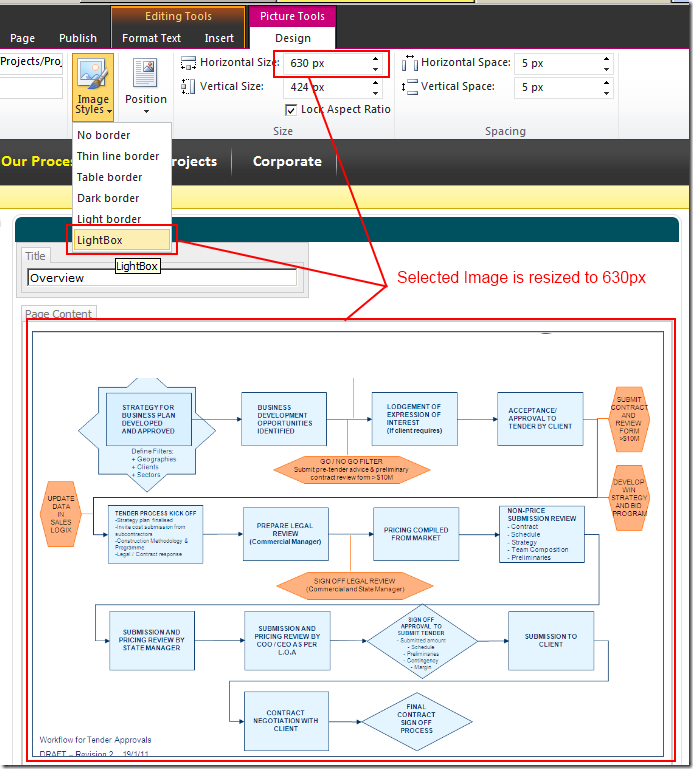
image

Figure: Content Editor can select the LightBox image style from the ribbon directly

The DOM looks like this once your content editor has tagged the image with the LightBox image style.

image

Figure: The HTML includes the lightbox css class

The included class ms-rteImage-LightBox will allow JQuery to hook in the javascript magic.

Adding the JavaScript


Next step is to add the JavaScript magic.

$("img.ms-rteImage-LightBox").click(function(){        
    SP.UI.ModalDialog.showModalDialog({
        url: $(this).attr("src"),
        title: $(this).attr("alt")
    });
});


JQuery basically looks at the page and look for any image elements tagged with .ms-rteImage-LightBox, and attach a click event handler function.

The function calls the SP.UI.ModalDialog.showModalDialog function that already exists within SharePoint 2010, and pass the image's URL and alt text (for a description).

Result:


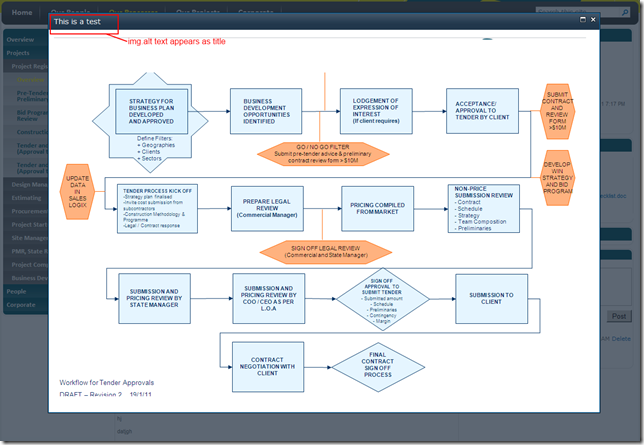
image

Figure: On click, SharePoint modal dialog opens showing the image in full size.


In addition, the Content Editor is free to apply other image sizes, and use the ALT property to describe the image.


Summary

Minimal modifications:

  • Add 1 CSS style
  • Add JQuery reference (if you don't already have it)
  • Add 1 JavaScript call.
  • No additional script reference, or CSS files, or pictures

InfoPath rule based repeating section date validation

A question was asked in the SharePoint 2010 Infopath forums:

"I am using Infopath2010 and developing a form where there are multiple sections. In each section I have a from date and to date controls.My requirement is to takecare the same date range should not fall in anyother sections."

I went crazy and decided to took on the challenge, I started with 2 tips:


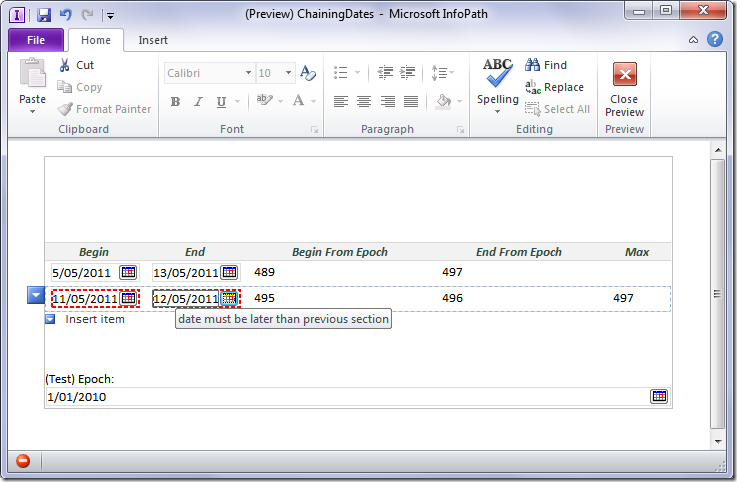
The result:

image

The XSN template is here:

https://static1.squarespace.com/static/5527bff2e4b0b430660b0d10/5527c30de4b030eeeef09715/5527c30fe4b030eeeef09e86/1304524623397/ChainingDates.xsn


Summary Steps

  1. Use DateDiff - calculate date difference between Begin & Epoch
  2. Again for End & Epoch
  3. Use Preceding rule to calculate max date difference in previous "End From Epoch"
  4. Validation rules kick off when datediff for the current section is less than the max from previous section

Have fun!

Rename multiple files in Office 365 via Silverlight Client Object Model


One of the first Silverlight "tools" I build for SharePoint 2010 was a tool to rename multiple files in a SharePoint document library with regular expression find/replace, via the client object model. 

This is a successful test run with Office 365, without modification.

This is also the installation / user guide - XAP file is at the end of the blog post.


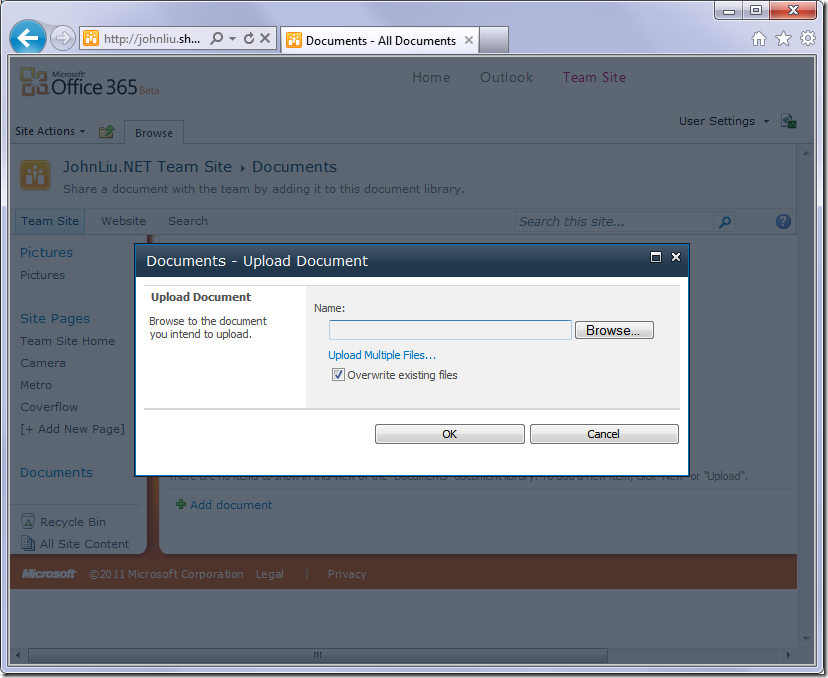
Upload Silverlight XAP file

image

1. Upload the xap file to SharePoint. 


image

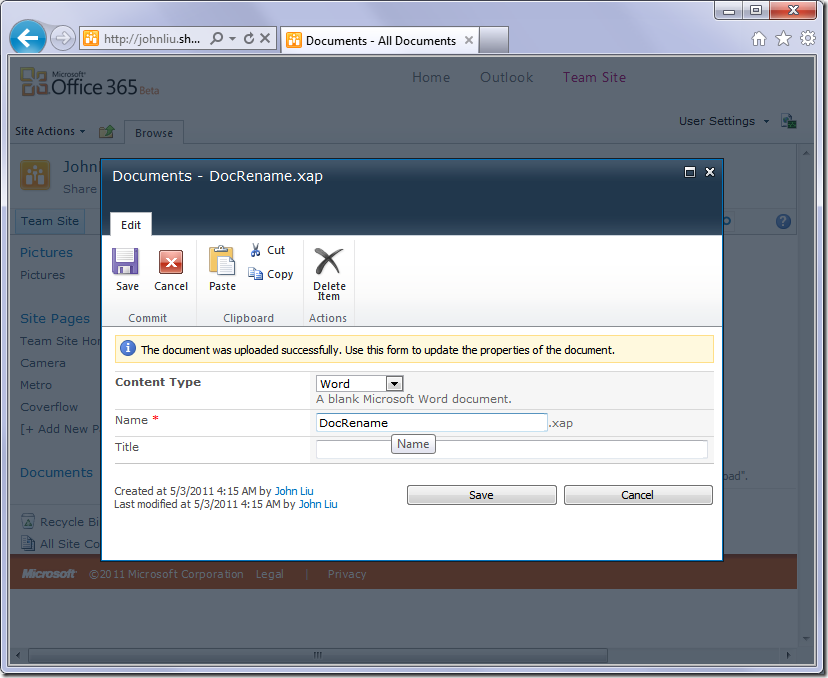
2. Save.


image

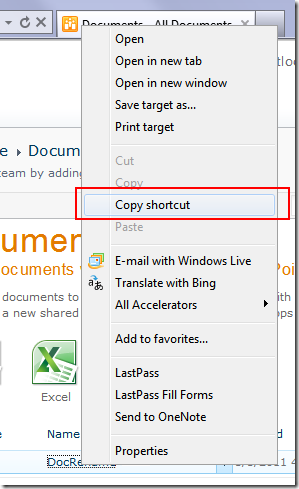
3. Copy the shortcut to the xap file, for me this is:

/TeamSite/Documents/DocRename.xap


Add Web Part


image

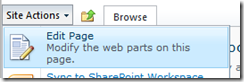
4. Edit the current page - I'm inserting the webpart directly above the list


image

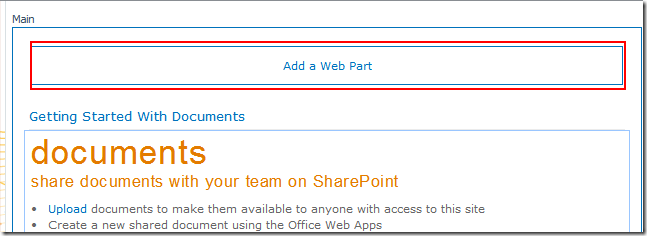
5. Add to the webpart zone


image

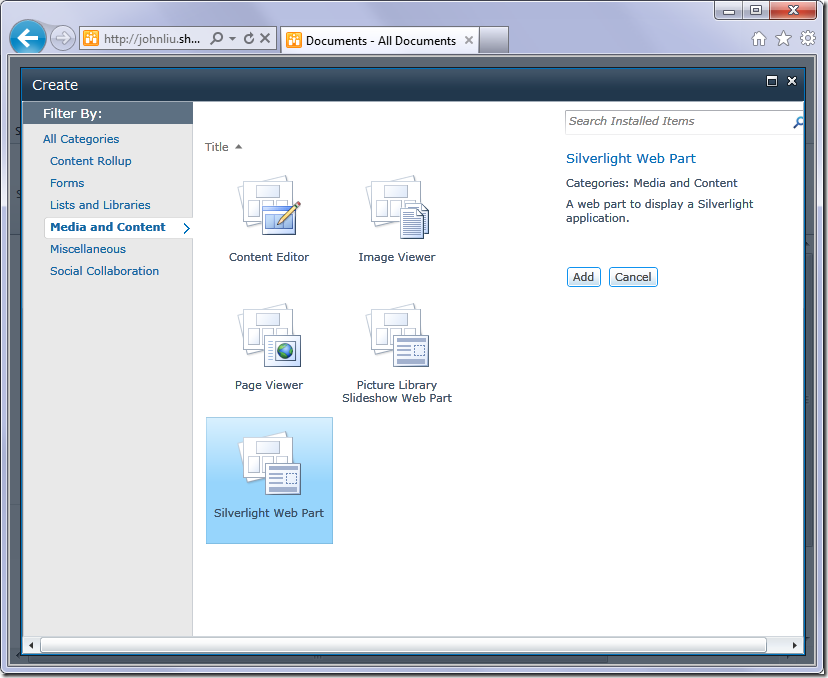
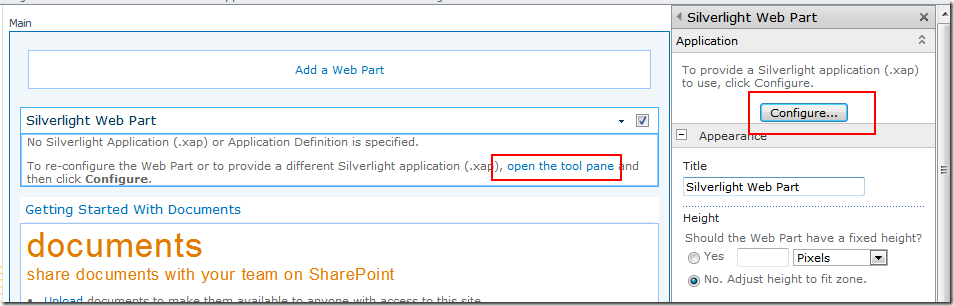
6. The Office 365 Web Part Adder is a lot prettier.  Select the Silverlight Web Part


image

7. Configure the Silverlight webpart.


image

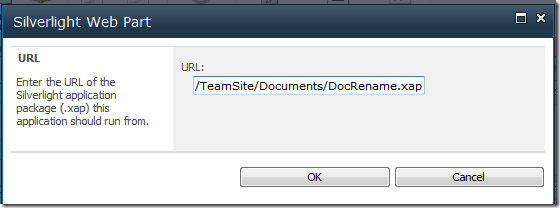
8. Give it the path to my XAP file


image

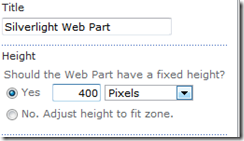
9. Set a minimum height


image

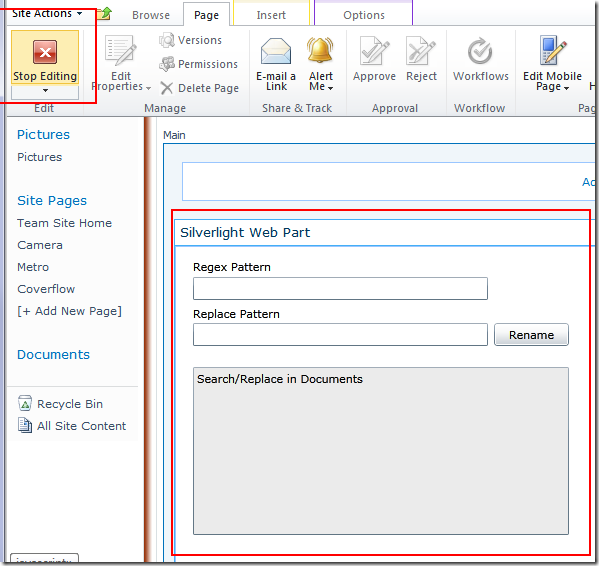
10. Stop editing page (save)


Run it!


image

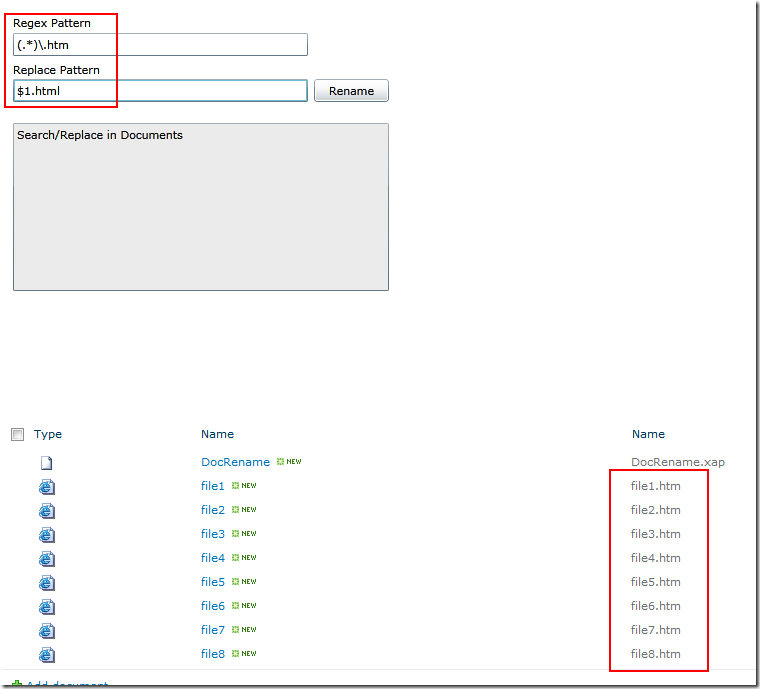
11. The webpart should load now - the find/replace is done via Regular Expression.  Here I'm matching anything named (.*)\.htm and changing it to the html suffix, while retaining the file name.


image

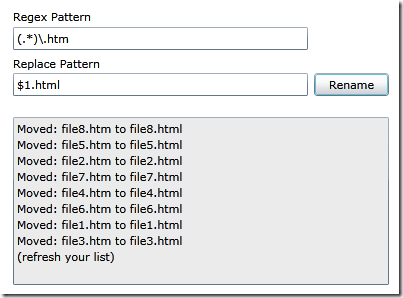
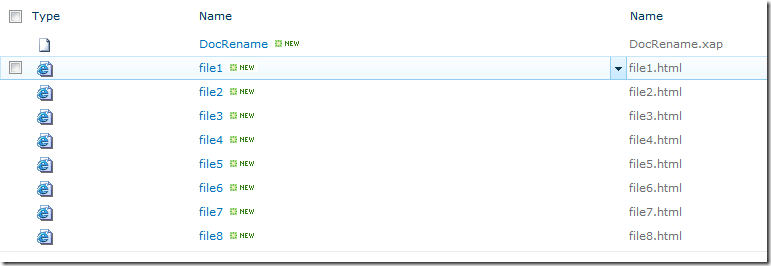
12. Results


image

13. Files renamed.


Summary:

Important notes

  • The Silverlight component picks up the list on the current page
  • You can also set the list name via Silverlight InitParam property
  • The replacement rule is this that - if there is already a file with the name you are placing, it will skip.  It will NOT overwrite.
  • The webpart doesn't refresh the list after running, so you need to hit F5
  • Finally, the Ribbon is contextual and you may find that since there is an extra webpart on the page, your normal List ribbons don't appear unless you focus on the list webpart.  If you can't stand this anymore (I can never last more than a few minutes), remove the Silverlight webpart or add it to a different page Smile
  • Here it is, have fun!  https://static1.squarespace.com/static/5527bff2e4b0b430660b0d10/5527c30de4b030eeeef09715/5527c30fe4b030eeeef0a162/1304422652343/DocRename.xap

Rich or Reach, pick one

Martin Fowler's latest article on CrossPlatformMobile is a great read, he argues based on history with Java and Smalltalk, that the best solution for Cross Platform Mobile solutions is the web, with caveats: 

  • Don't use cross-platform toolkits
  • For maximum reach: built a web app that looks like web app
  • To appeal to a particular platform: build a native app for that platform, with a experience design based on that platforms interaction style

I agree in part, but strongly disagree with the first conclusion.


The need

There are lots of difference devices, there are more coming, if we can write once and run it everywhere it would surely save us a lot of time and effort.  Let's look at our options:

  • Cross platform toolkits, such as Adobe Packager, or .NET Silverlight with Monotouch
  • A web application


History with Java

Of course, whenever anyone says "Write Once Run Everywhere", the most famous example that comes to mind would be Java.  Java indeed suffered from having mixed minds about what to do with the UI - do we ignore platform differences and go with our own standard UI (Swing), which doesn't behave the way users expect.  Or do we go with platform specific UI (AWT) but on different platforms the behaviour is different?

I would probably argue that in the days of Java - there was a strong community sentiment to go with Swing, to believe in the write-once run-everywhere model.  Even to the point of disregarding the user's experience.  This probably is the biggest downfall in why Java's UI was never really accepted.

If you were writing a rich desktop application today, and for some reason choose to use Java, I would argue that you stick to a well defined MVC design and make sure you have a great UI for the platforms that are important to you.  E.g. Windows, and Mac.


MVC or MVP

I briefly mentions MVC or MVP, which ever design you follow, the teaching is the same.  The View is interchangeable.  One assumes that a significant part of a Rich application is the underlying model and the logic, these are not UI focused and are completely interchangeable.

If you are at a point where it is important for you to have a great amount of User Experience, then I'd argue that you spend the time customizing the View specific to that platform, and not waste more time stuffing around with the model or presenter logic that you already have.


What would EA (Electronic Arts) Do?

Supporting rich applications cross platform on a massive scale is not a new problem.  It is not even an unexplored territory.  Nor is it specifically difficult.  This is a problem that is already solved in the electronic gaming world.  How does EA publish a game simultaneously for Play Station 3, XBox 360, PC and perhaps even the Wii at the same time?  Yes there are different teams customizing each individual experience, but the majority of the work is built on a common platform that they have created over the years.


The problem with the Web as a platform

There is only one problem with the web as the platform.  It is absolutely the lowest common denominator.  If you are picking the web, you have to ask yourself OK, is my goal here to produce something that "works OK" for as many devices as possible.  Or is my goal here to create a custom specialized experience on two or three specific platforms.

Martin raises the problems of Web in terms of lacking API support, here are a few more issues:

  • Uncertain Offline Support
  • Unstable Web Socket support
  • No Camera access, pipeline, image or video
  • No API for communicating with other applications on the device
  • No API for communicating with on device facilities such as contacts, lists, calendar or local library
  • No background thread capability
  • No bluetooth device support (or USB)
  • But no Accelerometer, compass
  • Immature UI controls
  • Simple UI data binding
  • No control over browser caching
  • No 3D graphics acceleration capabilities
  • Encryption capabilities (DRM)

Some good points:

  • CSS is an excellent UI skinning capability
  • DOM is well understood
  • Support for video and sound playback are decent
  • Most mobile browsers provides Geo location information.  But this isn't guaranteed on every mobile device.


And of course, we all have to choose

Yes I suppose if you have to pick a platform, the web is at least on the radar

But we are looking at an API model that is really still a few years behind most leading rich API's, on any platforms that you look: iOS, MacOS, Windows, Andriod and even the Windows Phone

So, my choices for cross platform comes down to:

  1. Rich - build specific user experiences, but share a common backend logic
  2. Reach - build a good enough application without most of the bells and whistles

Still can't decide?  Ok try this litmus test with some of the world's best web applications

  • Most platforms have a rich application for Facebook.  Do you use the rich application, or do you use the Facebook mobile web?  Do you only use the mobile web because it has a feature that isn't included in the Facebook rich app?  Do you expect that eventually that feature will be implemented on the rich app?
  • Most platforms have a rich application for email, which allows you to connect to GMail, do you ever use the GMail web application on your mobile device?


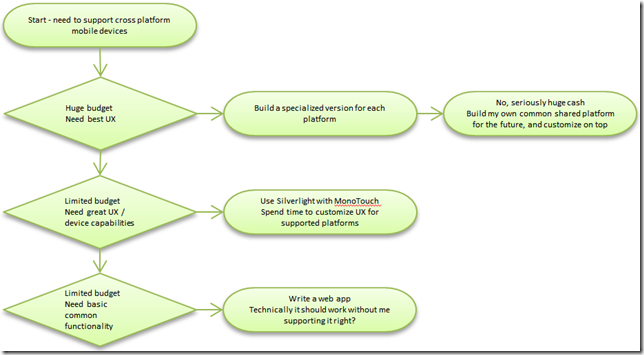
I don't know how I will choose.  I think it comes down to a balance between what devices you need to support as well as how much budget you have, vs. whether you think it's worthwhile to give your users a crap experience (vs. perhaps no experience at all).
 

image


So, Rich or Reach, pick one.  I think there's a strong argument to pick a cross-platform toolkit.  Let me know what you think.
Line break in InfoPath web browser forms

Microsoft once mentioned a line break trick using rules in InfoPath.

http://blogs.msdn.com/b/infopath/archive/2005/03/04/385577.aspx

The main problem we're trying to dodge is being able to insert a special character 
 (which is the chr(10) character), without InfoPath trying to be helpful and further encode our string.

image

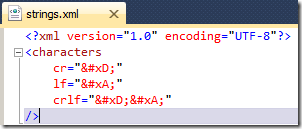
Step 1: Create XML file

image

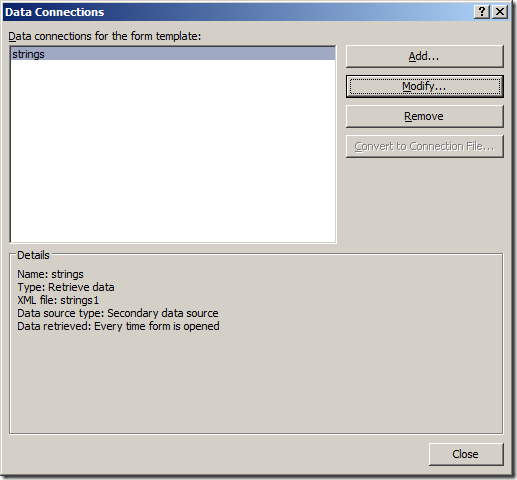
Step 2: Add secondary connection

image

Step 3: check it's now available in your secondary datasource

image

image

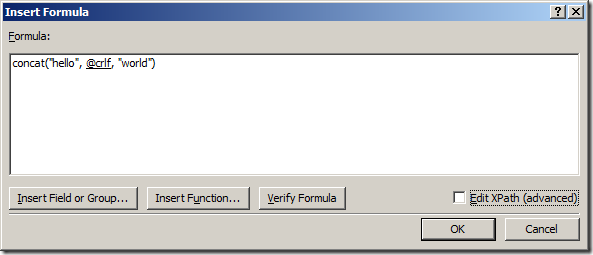
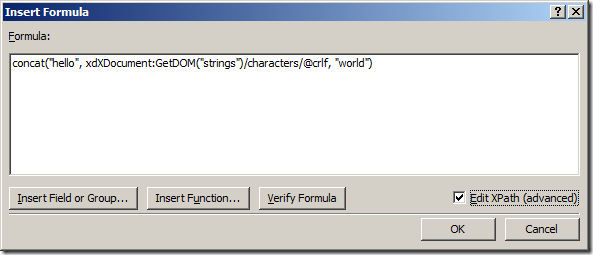
Step 4: when you need a newline character, insert it from the XML file.

Step 5: In InfoPath, you need to use the Textbox control, and enable multi-line.


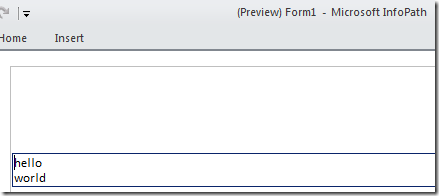
Preview

image

Figure: Preview in InfoPath Filler


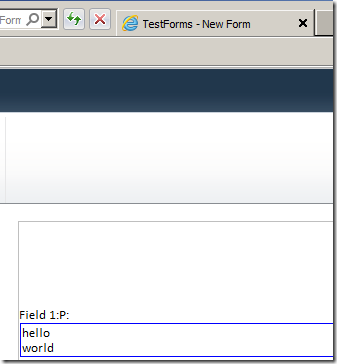
If you publish to web, it will use a TextArea element, which supports the line break.

image

Figure: Via Form Server

image

Figure: Textbox rendered as textarea element

Notes

You can set the textbox to read-only if you want to use it like a label.