Silverlight and SharePoint
/I did a bit of house keeping and tidied up all the collected blog posts on developing Silverlight applications on SharePoint 2010, and put them all under an easy-to-find landing page.
Code zealot in a connected world
I did a bit of house keeping and tidied up all the collected blog posts on developing Silverlight applications on SharePoint 2010, and put them all under an easy-to-find landing page.
We have some old virtual machines with VS.NET 2008 installed, used to build and maintain packages for WSS3 / MOSS 2007. Now that we have a nice new TFS 2010 installed, I go about fixing them up and making sure the various projects lying around are properly checked into TFS.
Getting an unpatched VS.NET 2008 to talk to TFS 2010 involves:
I fumbled around with the order a bit - was doing #2 before I realized I don't even have team explorer. After I worked out what needed to be done, the order makes more sense.
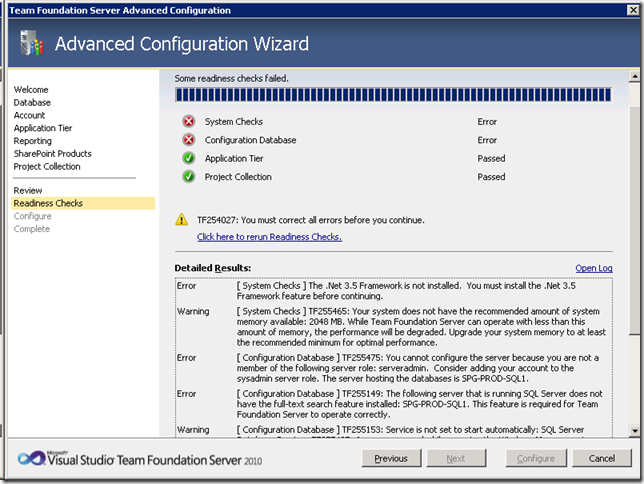
System Checks: The .NET 3.5 Framework is not installed. You must install the .NET 3.5 Framework Feature before continuing.
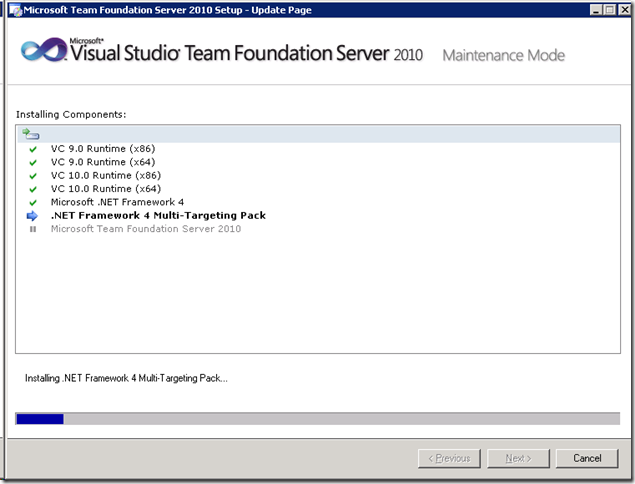
I love how TFS 2010 splits the installation from 1 giant step into two relatively simple ones.
Here's the relatively painless installation.
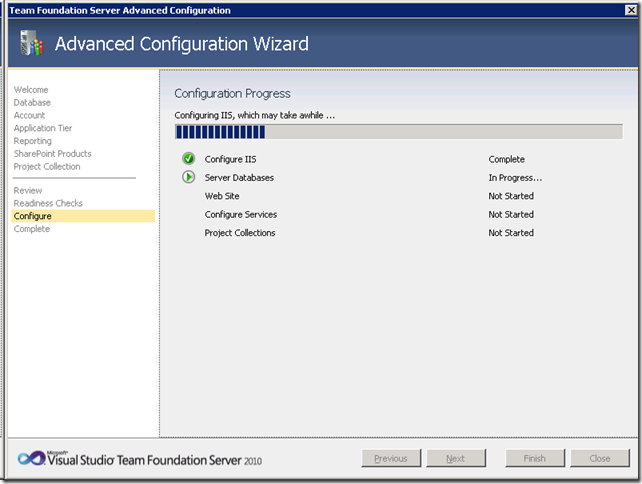
Here's the configuration, which should have been painless, except its not. TFS needs .NET 3.5 Framework, which hasn't been installed on a clean, new 2008 R2 machine.
TFS needs .NET 3.5, but doesn't install it. It installs .NET 4, then blocks you during configuration wizard.
MS explains it here: http://connect.microsoft.com/VisualStudio/feedback/details/585754/after-install-tfs-2010-requires-net-fw-3-5-fw-4-0-already-installed but I think it's just stupid :-(
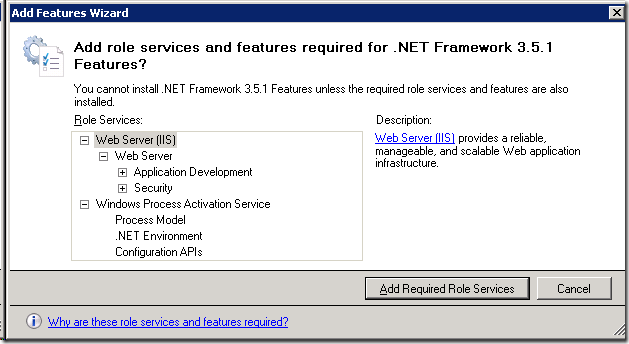
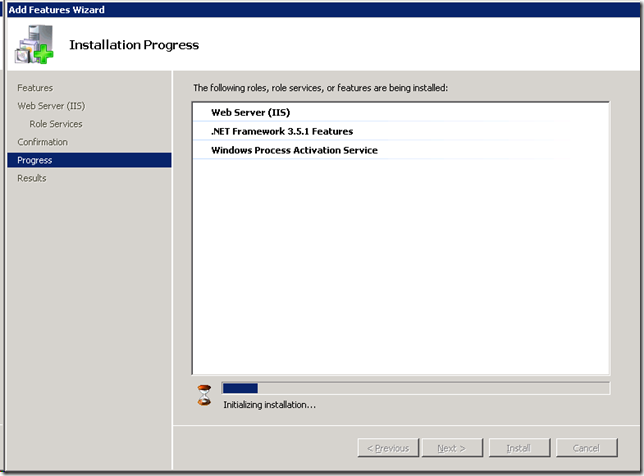
First Enable .NET Framework 3.5.1 from Add Features
Reinstall/Repair TFS. So .NET 4 is installed AFTER 3.5
Then finally, run TFS Configuration again.
tl;dr
When you sign up and register on the App Hub for Windows Phone 7, make sure you use your Australian LIVE ID.
I've had a LIVE ID forever - but it is set to United States. And I can't change that. Since a US LIVE ID is infinitely more useful for a Microsoft Partner than an Aussie one, I never really needed to bother changing it either.
This all changed with the Windows Phone 7. To purchase Apps and Video (no music marketplace or Zune Pass), I need to create a Zune account. Unfortunately, my Phone knows it's locked to Australia. And it won't accept my US LIVE ID. After a few fail starts, I made a new Australian LIVE ID, connected my credit card to that, and made that my primary LIVE ID on the Windows Phone. I then connect my main LIVE ID, Facebook, GMail all to the phone separately. You get the idea. It works well. I get to purchase Apps and do everything else with my previous accounts. Best of both worlds without the headaches.
Since everything I do on the web involves using my main US LIVE ID, I had my computers and browsers all set to remember my LIVE ID. Somewhere in the process of registering on the App Hub, things went haywire. Something was seriously confused, probably by the cookies I had saved on the browser. As I progress through the sign up screens it'd randomly error, and or throw me back to the initial login screen. Very buggy.
Here are my final working tips:
Just a reminder that before the end of this month (March 2011), you will need to migrate or download a copy of your Windows Live Spaces blog.
For me, I had already moved my data to SquareSpace a few years back. But I haven't moved my really old pictures - those were still hosted in Windows Live. Head to spaces.live.com/Migration/Download.aspx you can choose to download a zip copy of your Windows Live Spaces blog. This includes all comments, blogs and pictures.
After Windows Live Spaces goes down, I'll need to check whether my pictures are broken and repair them accordingly. Windows Live Writer will let me re-stitch new pictures.
I look at how a small team can build amazing things with the latest tools we have in Office 365 & SharePoint. I'm a coder, developer, Office SharePoint MVP. I dream, then I rant.

Founder @ Flow Studio App
A poweruser tool to help every maker write better Microsoft Flows and manage them.
MVP Alumni Office Apps and Services: SharePoint
MVP Alumni Business Applications: Flow


This work by John Liu is licensed under a Creative Commons Attribution-ShareAlike 3.0 Unported License.
Permissions beyond the scope of this license may be available at /about-me/.