SharePoint central administration tip - use those resource links

Some of the service application administration pages in SharePoint 2010 are incredibly hard to get to.

Hands up who knows - in their head right now, without checking their central administration: how to get to User Profile Service Application, or Search Administration page?

For those of you that don't want to be hunting for the link - find them once, and add them to the Central Administration Resources links on the right hand side of the landing page.  There's a big empty links web part there waiting to be used!
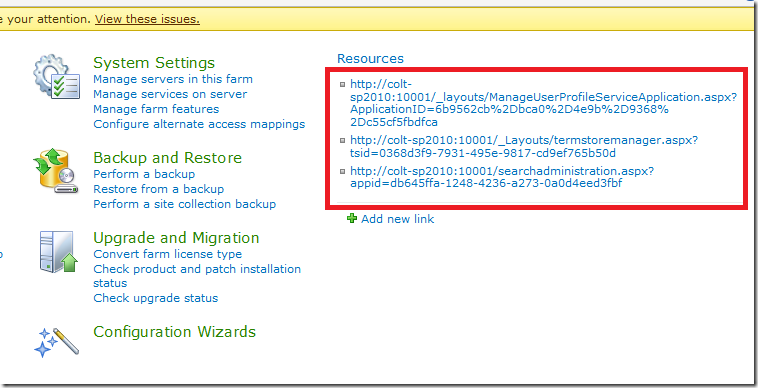
 

image


I should probably give them better names.

Can't save SharePoint 2010 site as template with a library called Forms

Error exporting the list named "Forms" at the URL: Forms

 

I have problems this afternoon saving a very small site as a template for deploying, and was getting the above strange error.


Workaround: Using SharePoint designer, browsing via All Files - rename the Library "Forms" to something else - "TravelForms"

You can now save the site as a site template.


The old stories are still true - don't use research words for your content.

SPD 2010 conditional formatting to hide columns based on a related column in the list

I was discussing hiding columns using SharePoint Designer 2010 and thought I'd dig into the UI a bit more to see if there are any special tricks, as well as how it works with inline editing.
Here are the steps.


Set up ConditionalList

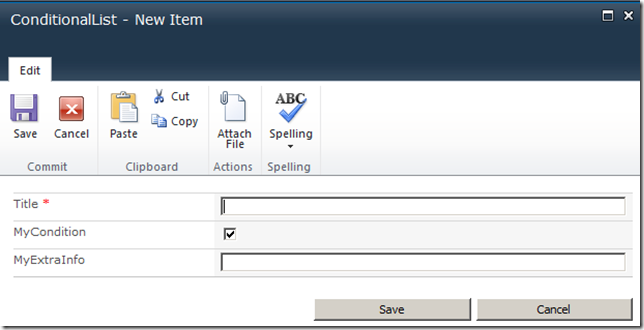
  1. Create a list with "MyCondition" - checked box
  2. MyExtraInfo - text

When adding a new item, we have:

image


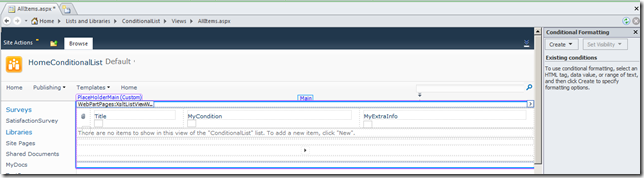
Drop into SPD - modify AllItems.aspx


image


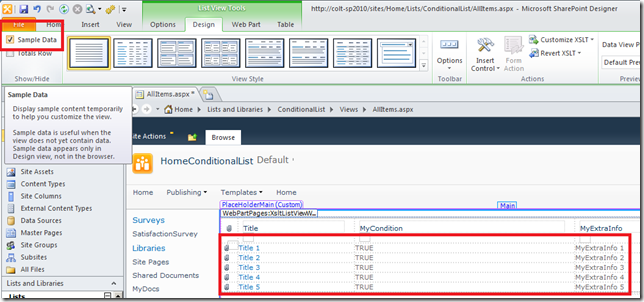
If your list is currently empty and you don't have any rows right now, show some sample rows, so you can add conditional formatting to the data.

image


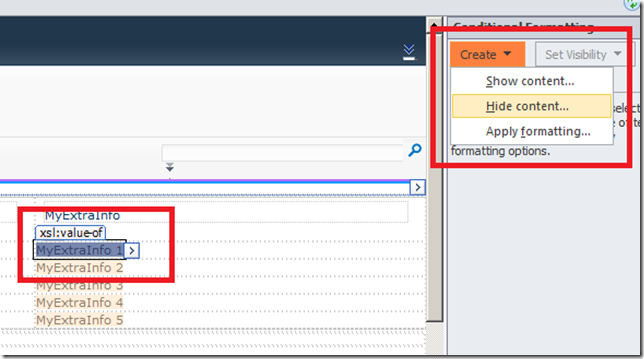
Select the field, then create a conditional formatting on that field.

image


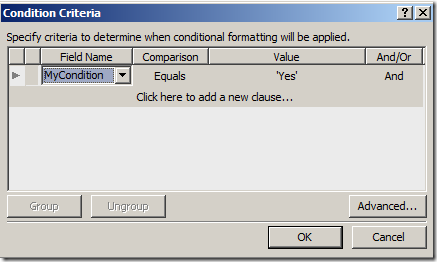
Set the condition

image

OK, then save everything.


Go back to the list

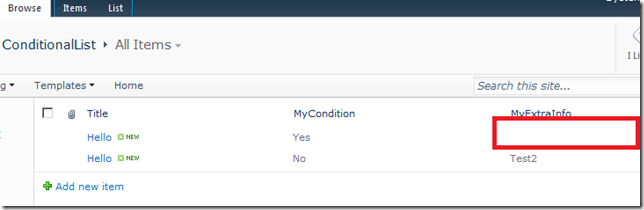
image


The field is now hidden.


Inline editing


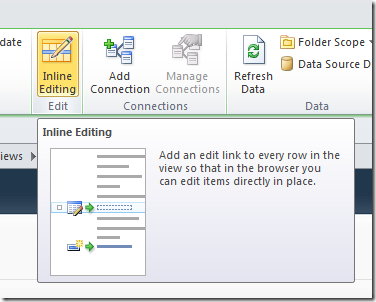
Enable inline editing in SPD

image


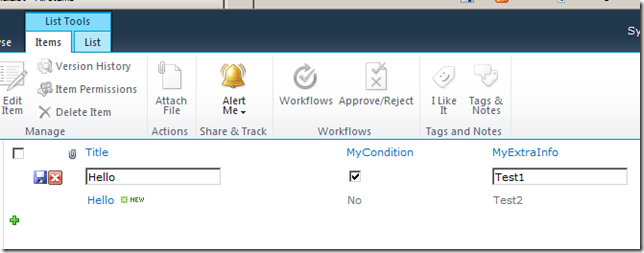
Check my condition, and click save (floppy disk)

image


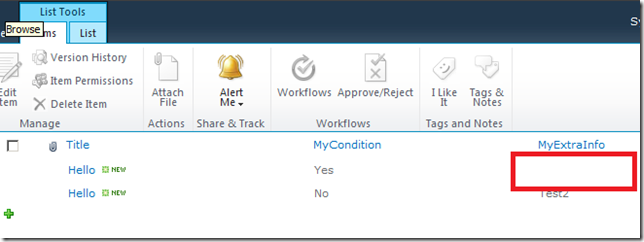
Field is hidden again.

image


Sorry for confusing "Bakai", hope this helps.

Office - fixing the repairing problem when opening Word or Access

I spend the evening hunting down why every time I run Office 2010 in my demo machine, it would first launch configuration...  Always configuring...

After a few attempts at reinstalling that doesn't seem to lead anywhere, I decided to read the registry and see if there's some residue key that's causing problems.

While I didn't find the key, I did find a few very suspicious looking keys that it was requesting, right before launching into the Configuration Wizard (again).


NoRereg DWORD

For Word, Excel, PowerPoint... and most of Office:

Create a DWORD NoRereg=1

HKEY_CURRENT_USER\Software\Microsoft\Office\14.0\Word\Options
NoRereg=1


NoRepairNeeded KEY

For Access:

Create a KEY NoRepairNeeded.  I don't seem to need to add any default values or any other values in the key.

HKEY_LOCAL_MACHINE\SOFTWARE\Microsoft\Office\14.0\Access\NoRepairNeeded