Why MCP is still the best bet over CLI
Quick Map
For
- agent tool builders
- developers weighing CLI vs MCP
You'll see
- CLI strengths and brittleness
- Structured MCP tools for agents
- MCP Apps interaction model
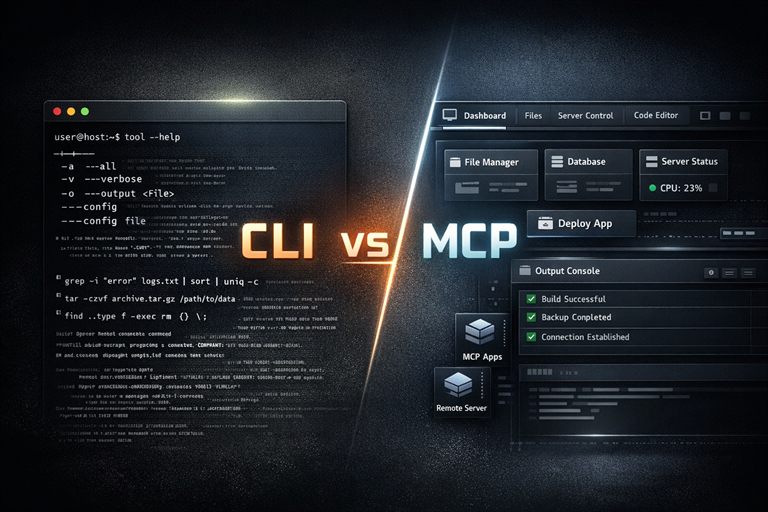
Ultimately, agents of 2026 need to get things done.
They can use CLI, REST, MCP, or even screen and browser scraping. The real question is not which one is fashionable. The real question is which transport gives the agent the best chance of finishing the job, safely, repeatably, and with enough structure that a human can still trust the result.
That is why I think the comparison should start like this:
- CLI: less tokens because less text, batching piping, designed for humans and agents
- MCP stdio: everything stays on the machine
- MCP remote server: delegated auth improvements, MCP Apps, change trail, structured input and output which enables composability through code, progressive discovery through
tool_searchso you only load the tools you need, MCP 2.0 webhooks/triggers
That is the shape of the argument.
CLI is still useful. But for 2026 agents, MCP will continue to evolve to fit agents better.
CLI: cheap in tokens, expensive in everything else
CLI is great at one thing: letting a human who already knows the system drive it quickly.
That is also the problem.
A CLI assumes the user already knows:
- which command to run
- what flags matter
- what output to trust
- how to parse errors
- when a command is safe to retry
That is fine when the operator is experienced and patient.
It is much less fine when the operator is an agent that has to discover the tool, figure out the shape of the response, recover from errors, and keep context under control while it does so.
CLI gives you power, but it also hands you a lot of incidental complexity.
It is also brittle in a way that is easy to underestimate. The agent has to parse text, infer intent from flags, and reconstruct structure from stdout or stderr. That is workable for a simple one-shot command. It gets ugly when the workflow needs retries, multiple steps, or a stable contract that other hosts can depend on.
And CLI usually needs --help just to tell the agent what it can do. If it is not a well-known CLI, you are back to loading more text into the token context before the agent can even start. That is exactly the kind of hidden cost that looks cheap at first and then quietly grows.
MCP over stdio: the local bridge
MCP over stdio is the first step up from CLI.
It still feels local. It still feels close to the shell. Everything is running on the same machine, so you keep the mental model simple and you avoid pushing data over a remote network hop.
That makes stdio a good fit when you want:
- local tools
- personal automation
- developer workflows
- quick command adapters
But even here, MCP is already doing something CLI does not do well: it exposes structured tools instead of asking the agent to guess what the command line meant.
So even before you go remote, MCP is already giving you a better contract than a raw command string.
MCP remote server: where the real advantage shows up
This is where MCP innovations are advancing.
A remote MCP server gives a company something CLI usually does not: a centralized place to unify the process.
Instead of every team inventing their own shell commands, wrappers, scripts, and habits, MCP lets you publish one approved interaction pattern and let many hosts consume it. That makes it easier to keep everyone on the same workflow, log what is happening, and improve the experience in one place instead of chasing ten different scripts.
Remote MCP also gives you:
- improving, seamless delegated auth
- a change trail
- structured input and output
- tool discovery improvements leading to
tool_search - richer host integration through MCP Apps
execute/ code mode for workflows better expressed as orchestration than terminal typing- in v2.0 MCP servers will also provide triggers and skills directly
If I build an MCP server, I am not just helping one agent in one terminal session. I am exposing a capability that can be reused across hosts, across products, and across UI layers without rewriting the core integration each time. The default LLM is trained from public data, it doesn’t survive well and frequently mixes between code or API changes. A great MCP server helps mend that bridge, providing the right information at the right time to help the agent move forward. I wrote more about that bridge in Building the best bridge between your Agent and Power Automate.
Why remote MCP will keep evolving
The future of agent-tool interface is not terminals at all.
There’s a limit to text-only workflows.
Once a tool needs to show a table, a preview, a form, a choice, or a multi-step decision, a CLI starts to look like a pretty awkward transport layer. You can make it work, but you spend a lot of effort translating a rich interaction into text and then translating the response back again.
That is where MCP Apps matters.
MCP Apps lets tools return interactive UI components directly in the conversation. In practice, that means the experience can be much closer to a native app workflow than to a shell transcript.
If you squint a little, MCP Apps is basically the missing “adaptive cards for MCP” layer:
- the tool author declares the interaction
- the host renders it in its own style
- the user gets a real UI instead of a wall of text
- the agent stays in the loop instead of losing the thread
That is a very different world from “here is some JSON, good luck”.
Why MCP Apps changes the game
The reason MCP Apps is so interesting is that it fills the gap CLI never could.
CLI is text-first. MCP Apps is action-first and interface-aware.
That means the same tool can now present:
- a dashboard for monitoring
- a form for collecting input
- a diff or review surface for approval
- a selector for choosing among options
- a richer visualization than plain text can reasonably carry
The MCP project announcement is explicit about this direction, and the support is already showing up in real hosts. Claude, Goose, Visual Studio Code, ChatGPT, and Microsoft 365 Copilot chat are all part of the conversation now, which is a pretty strong signal that this is not a niche experiment anymore.
That is the part people miss when they reduce the discussion to “protocol vs command line”.
MCP is not just about calling tools. It is about giving tools a standard way to be useful inside agentic products. I can return a card showing the customer a deep link to my app, where it’s directly relevant to their needs.
Why this beats CLI in practice
There are a few practical advantages that matter most.
-
Discoverability. A CLI assumes the user already knows what exists. MCP lets the host discover capabilities and present them with structure.
-
Host-agnostic reuse. A CLI is usually tied to the environment it was written for. MCP lets the same tool contract work across different hosts and agents without rewriting the core experience for each one.
-
Structured I/O. MCP gives the agent typed inputs and outputs instead of asking it to scrape and reconstruct meaning from text.
-
Governance. A remote MCP server lets you update one place and have every approved host follow the same process.
-
Observability. Remote calls can carry a change trail, logging, and review points in a way that a local terminal transcript usually cannot.
-
Interaction quality. When the task needs a real UI, MCP Apps gives you a better surface than a prompt that grows longer and more fragile with every turn.
That means less token waste, less prompt sprawl, and fewer moments where the agent has to guess what the user actually meant.
That is also where code mode comes back in.
Instead of dumping every tool definition into the model context and hoping for the best, code mode reduces the surface area. The agent gets a single code execution path, writes code against typed tool wrappers, and keeps the heavy lifting out of the prompt itself. That is a much better trade when the workflow involves lots of tools, lots of steps, or lots of repeated calls.
Of course, an MCP that just wraps a hundred REST APIs is pointless. A good MCP should be an encapsulation of your domain knowledge, beyond what the LLM is trained with. That is where the real leverage is.
So the argument is not really “CLI is always bad” or “MCP always wins by default.”
The better argument is that MCP has room to evolve. It can start as a clean local bridge, become a remote server with delegation and auditability, and then add richer UI through MCP Apps or code mode when the problem is better solved by orchestration than by listing every tiny command one by one.
MCP 2.0 (June 2026)
The creators from Anthropic talk about the MCP 2.0 direction in this recent video.
The reason I am excited about MCP 2.0 is that it feels like the protocol is still getting smarter, not just bigger.
There are so many improvements planned, measured, and contributed by so many smart people.
So should we ignore CLI?
No.
CLI is still excellent for:
- local power users
- quick debugging
- batch scripts
- one-off administrative work
But if the thing you are building is meant to live inside an agent, MCP should usually be the front door.
CLI can stay behind the scenes as an implementation detail. MCP is what the agent should see.
That is the part that feels durable.
The interface is no longer just a terminal transcript. It is a protocol, a discovery layer, and now an interaction layer as well.
That is why I still think MCP is the better bet.
And with MCP Apps making interactive UI feel more like a standard capability than a special-case hack, the gap between “tool” and “product” keeps getting smaller.
Useful references
- MCP Apps announcement
- MCP 2.0 roadmap
- Cloudflare code mode for MCP server portals
- MCP Apps compatibility for AG-UI
- CardPlatform Adaptive Cards
- MCP Apps in Copilot chat
If you are building for agents, that is the direction I would bet on.
Discussions