Flow to MS-Todo, then all your tasks to Flow
I’m in a celebrating mood - Flow released Export and Import. This is a great day. https://flow.microsoft.com/en-us/blog/grow-up-to-logic-apps/
So I’m going to write about something that I’ve built in the last week, because I’ve been looking at a simple Todo app - and Flow has started to really streamline the way I work.
This is part of a series on Microsoft Flow
Featured
Mar 20, 2026
FlowStudio, MicrosoftFlow, MCP, PowerAutomate
Mar 20, 2026
FlowStudio, MicrosoftFlow, MCP, PowerAutomate
Mar 20, 2026
FlowStudio, MicrosoftFlow, MCP, PowerAutomate
Feb 21, 2026
PowerAutomate, MicrosoftFlow, LogicApps
Flow - lightweight fast template engine using Split twice
Feb 21, 2026
PowerAutomate, MicrosoftFlow, LogicApps
Feb 21, 2026
PowerAutomate, MicrosoftFlow, LogicApps
Mar 12, 2025
Mathematically Elegant way to Flatten an Array of Arrays in Power Automate
Mar 12, 2025
Mar 12, 2025
Jan 16, 2025
code, MicrosoftFlow, PowerAutomate, debug
A debug tip for complex conditions in Power Automate #FlowNinjaHack 126
Jan 16, 2025
code, MicrosoftFlow, PowerAutomate, debug
Jan 16, 2025
code, MicrosoftFlow, PowerAutomate, debug
Oct 27, 2023
FlowStudio, MicrosoftFlow, PowerAutomate
Updates to Flow Studio App in 2023 October
Oct 27, 2023
FlowStudio, MicrosoftFlow, PowerAutomate
Oct 27, 2023
FlowStudio, MicrosoftFlow, PowerAutomate
Aug 7, 2023
FlowStudio, MicrosoftFlow, PowerAutomate
Power Automate API changes - v2 Admin scope now needs user_impersonation
Aug 7, 2023
FlowStudio, MicrosoftFlow, PowerAutomate
Aug 7, 2023
FlowStudio, MicrosoftFlow, PowerAutomate
Microsoft Todo, the app that’s just damn simple
I don’t really want to get into why I choose Todo instead of Wunderlist or Todolist or Google Keep. I think I just want a really simple Todo app that I’ll complete every day.
In a nutshell, this is how I use Todo:
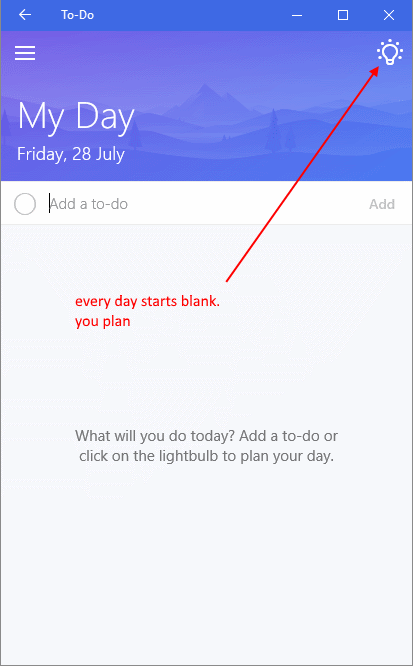
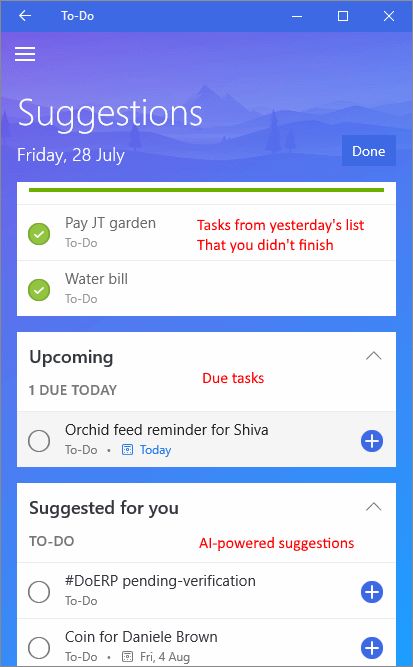
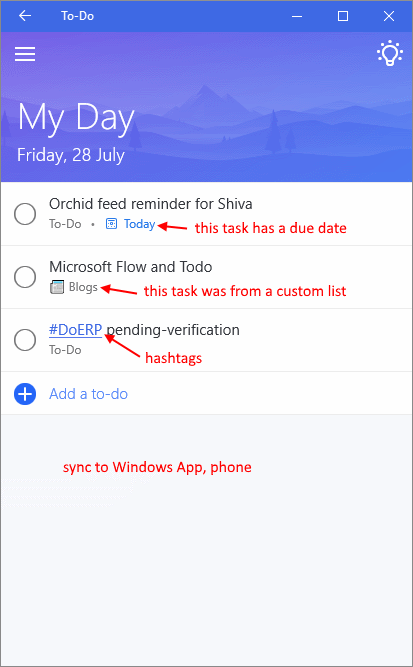
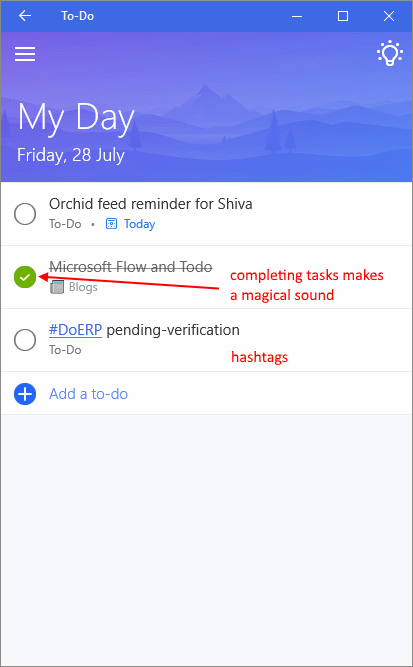
Todo doesn’t have an API
But it sync with Outlook Tasks - which gives me the idea for this Flow. (Actually, I’m pretty sure Todo just uses Outlook Tasks as the source).
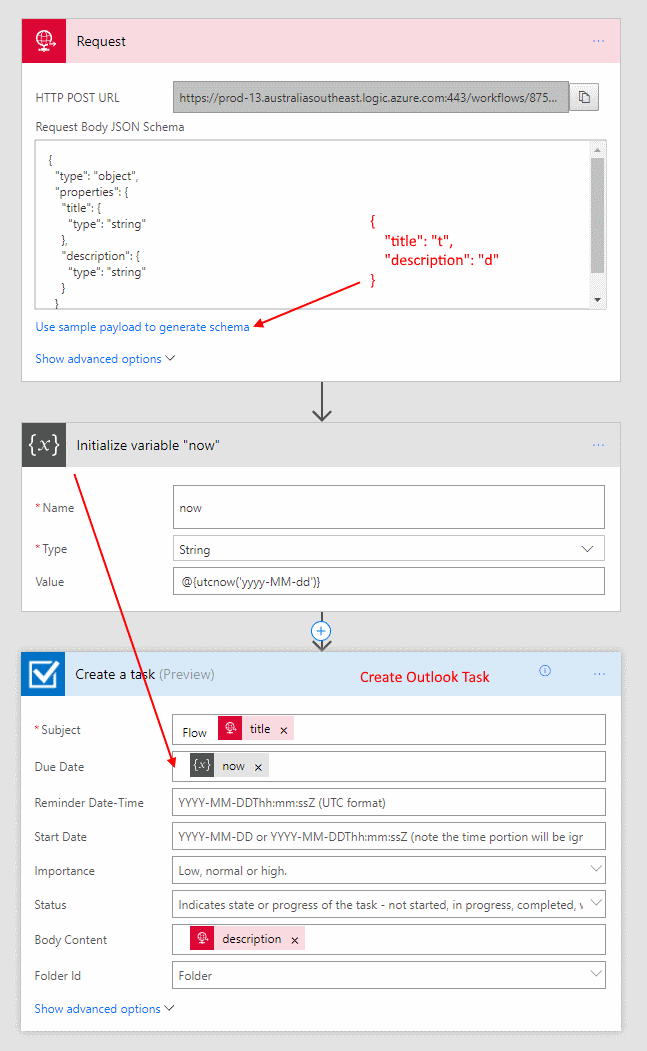
- Set up a Web Request
- Calculate today - NOTE don’t include quotes ” and ”
- Create Outlook Task with title, description and today as due date
Test with Postman
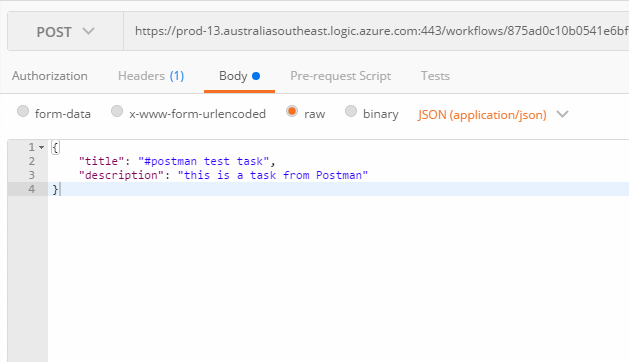
Remember to set the content-type to application/json
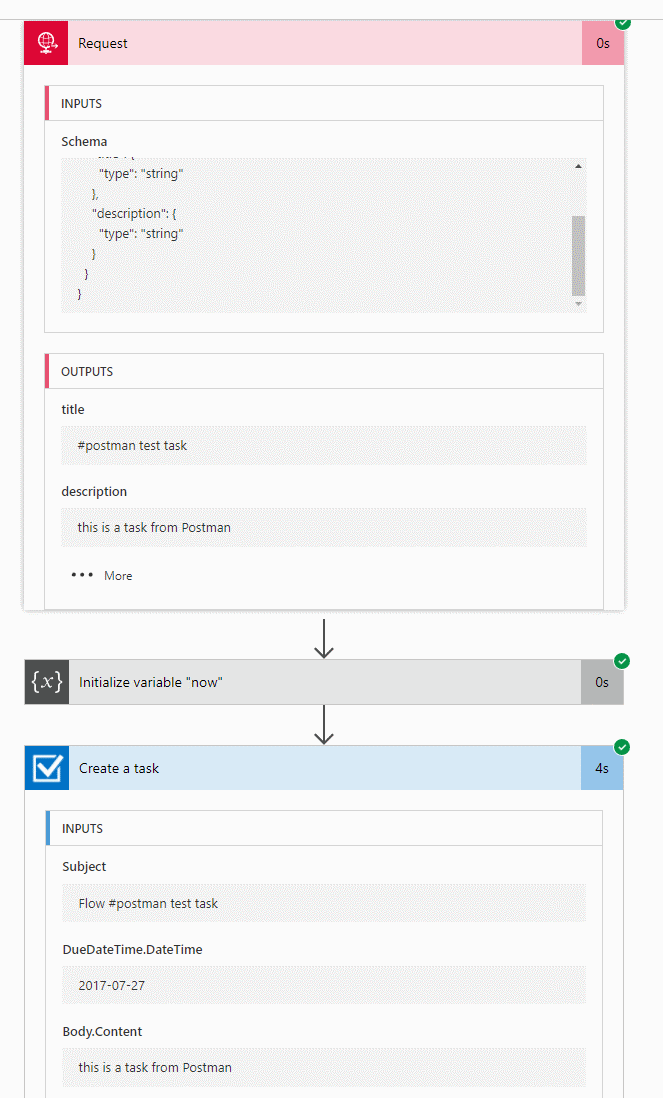
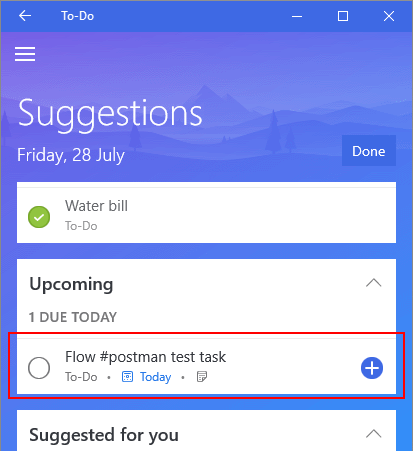
And we see this in Todo, almost instantly.
What’s next?
I now have a web service that takes a simple JSON and I can add tasks anywhere into my Todo. I’m playing with the idea that different Flows can put tasks into this API, which will populate tasks that I can add into “today”.
- Bills from Emails
- Notable Twitter that spun off a crazy blog idea
- SharePoint project tasks
- OneNote tasks
- Planner (? this one I may leave in the Planner app)
I’m also thinking to create different lists for different sources, and watch task changes to write back to source system. That will make this a really good end to end solution for me.
Discussions