Adding a warm-up step to your SharePoint project deploy action
VS.NET 2010 allows a lot of awesome control over the exact steps that occurs when you deploy your project to your development environment.
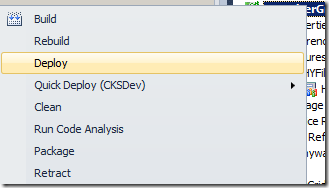
Figure: VS.NET 2010 Deploy
When you are deploying farm solutions however, it does an IIS Reset, which means when VS.NET says it’s done, and you go into your browser to test the site, it sits there for a few minutes warming up. 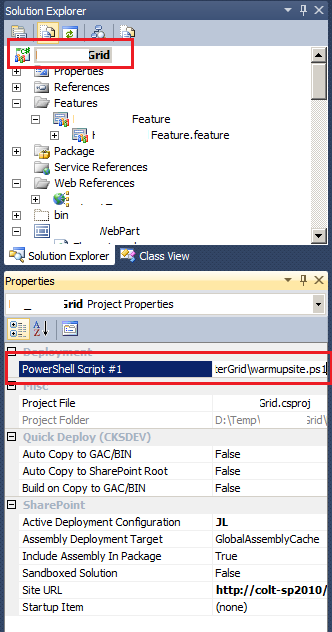
CKSDev is very extensible, and the community is awesome and has already added many useful extensions.
Grab CKS DEV
To fix this, first grab CKS extensions here: http://cksdev.codeplex.com/
SharePoint Project Properties | SharePoint
You can’t edit any of the default configurations, so make your own and add the actions you want.
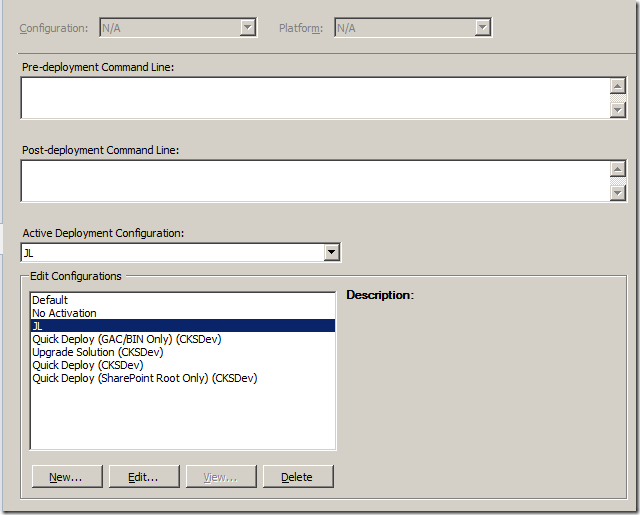
CKS provides a deployment step “Warm up SharePoint Site (CKSDev)” which will send a request to warm up the SharePoint site that the project deploys to. (see #1 below)
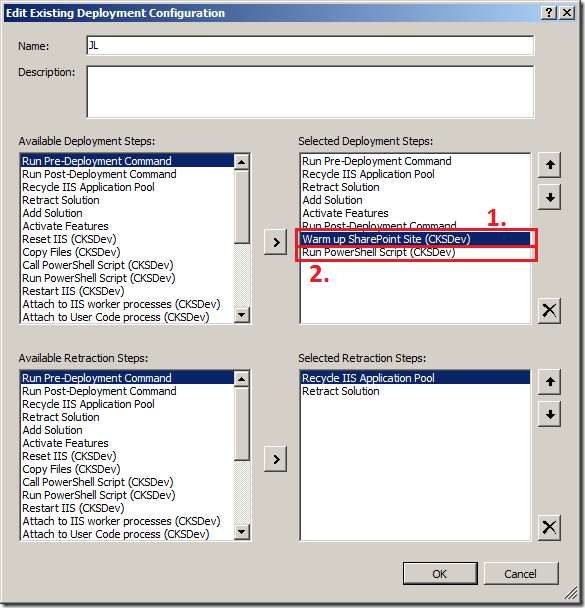
The problem with the CKSDev warm-up step is that the action doesn’t actually wait for the site to tell us it’s ready, so VS.NET will say “Done”, but when you open the browser, it’s still not ready
Discussions