Silverlight Unit Testing Framework - modify/remove Tag Expressions dialog
The default Silverlight Unit Testing framework project has a lovely Tag Expressions welcome dialog that lets you decide (within 5 seconds), whether you want to run a subset.
How do you get rid of it?
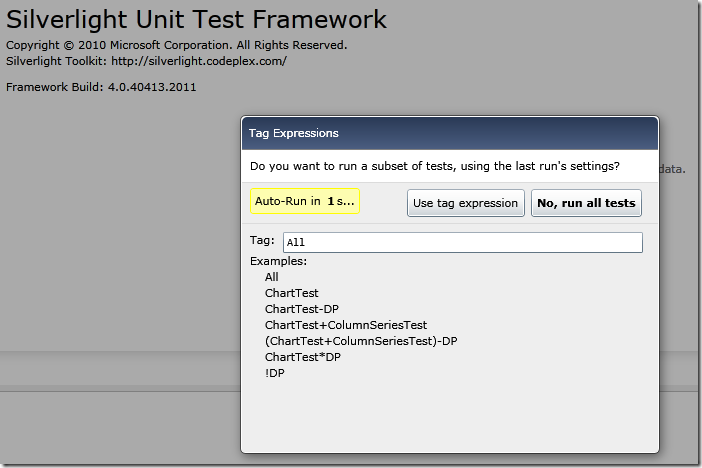
Turns out it’s pretty easy:
    private void Application\_Startup(object sender, StartupEventArgs e)
    {
        UnitTestSettings settings = UnitTestSystem.CreateDefaultSettings();
        settings.StartRunImmediately = true;
        settings.ShowTagExpressionEditor = false;

        RootVisual = UnitTestSystem.CreateTestPage(settings);
    }
Use UnitTestSystem.CreateDefaultSettings() to get you started quickly, if you create your own UnitTestSettings class you will have to set up your own Test Harness or you’ll face this Exception:
Test harness was not specified on test harness settings object. If a test harness settings object was passed in, please verify that it contains a reference to a test harness.
Discussions