SharePoint - showing Contacts in People Search results
Scenario:
- You have a working and functioning People Search page, and it’s used to show information (and lovely photos) of your employees and acting as a very capable office phone book.
- HR now wants to add more people to the list, people that, for some reason (may be they are kiosk workers, or external contractors), don’t have an Active Directory account. The phantom people.
Solution:
- Create a standard SharePoint Contacts list
- Include this list as part of the People search scope
- Configure Search Metadata Properties to bring across the correct Site Columns, ultimately, showing both Real users and Contacts from Contact List in the same People Search results.
Create a contact list

The Contact list doesn’t come with a Contact Photo by default, we should add one
-
Go into List Settings, enable Manage Content Types
-
Go into the Contact content type
-
Add Site Column “Contact Photo” - this is an out of the box column, don’t create your own Site Column
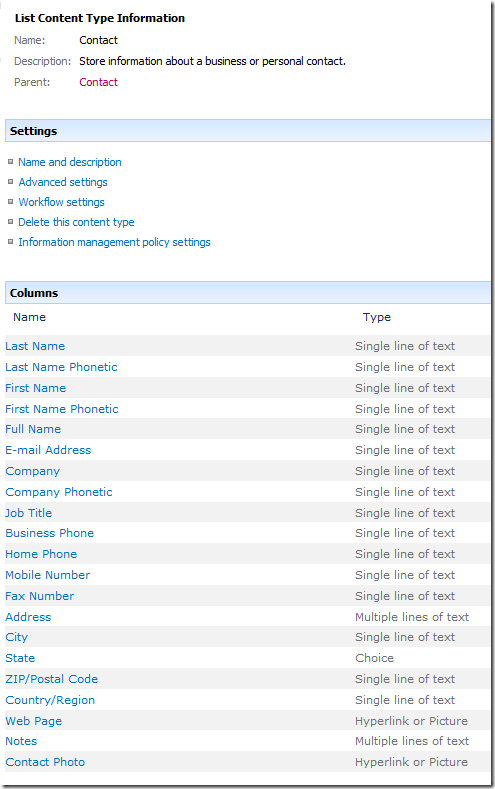
-
Check you’ve added the right Site Column, the internal name should be:
http://server/_layouts/ManageContentTypeField.aspx?ctype=0x010600D07645B29A88F34C98B3FE05BEB3478E&Field=Contact%5Fx0020%5FPhoto -
It should be “Contact_x0020_Photo”, this is important later in search properties.
-
Add an item in the contact list
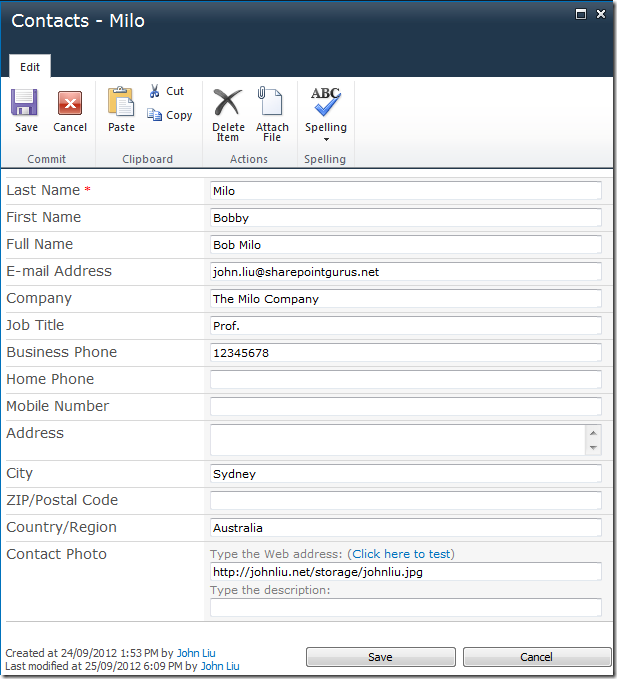
Configuring Search
-
Create a new Search Scope “Humans”
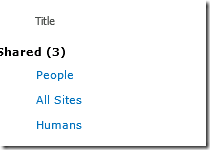
-
Add rules, in addition to the rule to include People, which is “contentclass = urn:content-class:SPSPeople”
Add rule to also include Folder = http://server/Lists/Contacts
-
You’ll need to do a full crawl, which will pick up the Contact list, this will also pick up a crawled property for Contact_x0020_Photo
-
Then update the Scopes
Configure Search Page
- Configure the Search Page
- Change People Search Core Results webpart:
- Scope: humans
- Use Location Visualization: untick
- Append Text To Query: scope:humans
(this allows your search results to show the first 20 people always, even when no query is specified)
Your search results should begin to show something, but it’s not right:
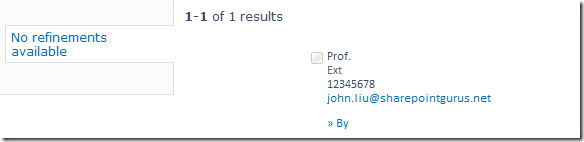
- Some fields are mapped automatically, here, the Job Title, Company, WorkPhone and Email fields have come across. We’re missing two significant ones
Configure Search Metadata Properties
-
Fix PreferredName
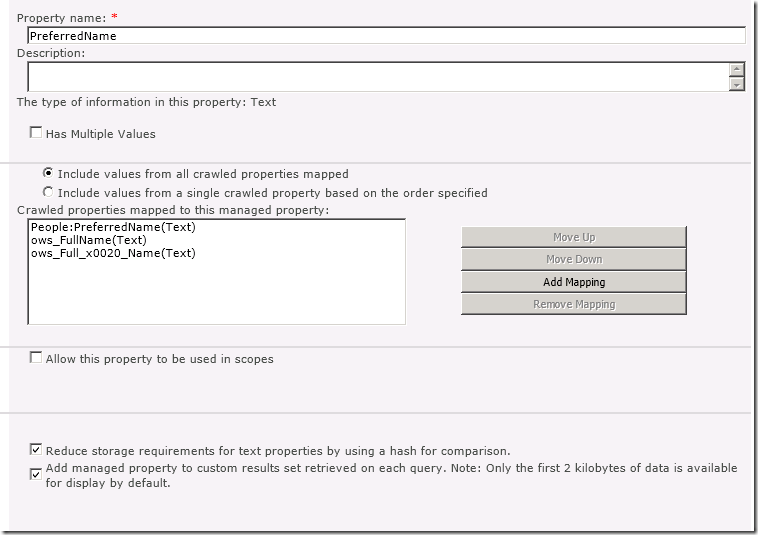
Add both “ows_FullName(Text) and ows_Full_x0020_Name(Text)
Tick “Include values from all crawled properties mapped -
PictureUrl
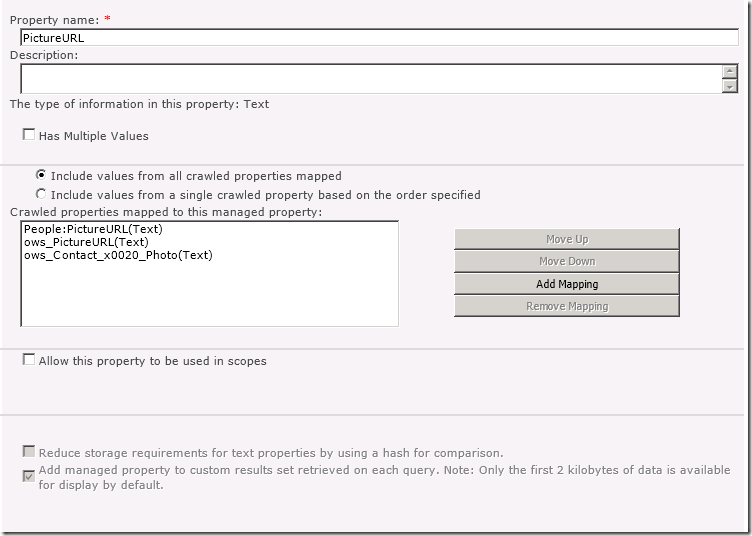
Add ows_Contact_x0020_Photo(Text)
Tick Include values from all crawled properties mapped -
Full crawl again.
The End result
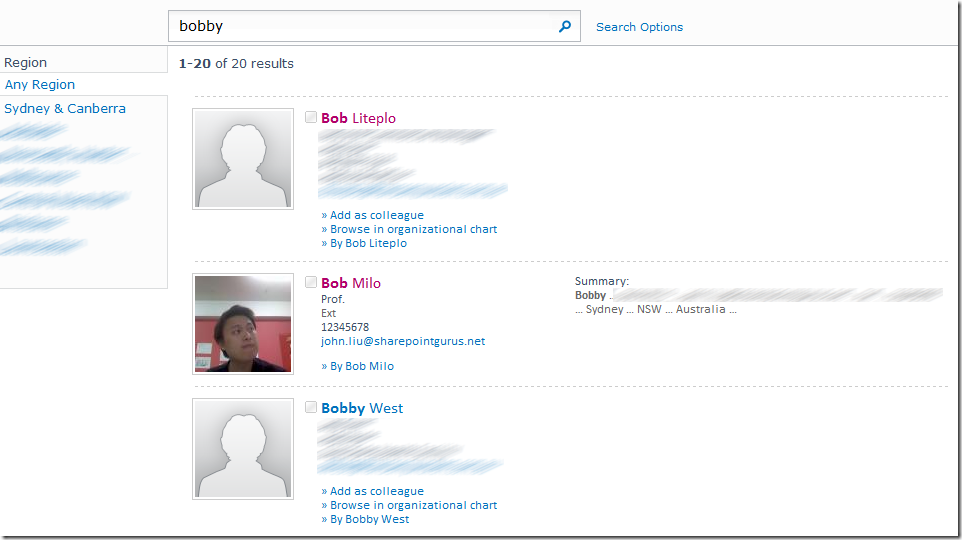
Real users and Contact list entries displayed together in the search results!
Discussions