SharePoint: automatically sign in with my Windows User Account in IE and FireFox
Microsoft’s Internet Explorer has a concept of security zones. It can guess which servers that you are visiting belongs to the corporate Intranet, and automatically pass in Windows Authentication tokens.
Internet Explorer
These options are under Internet Options
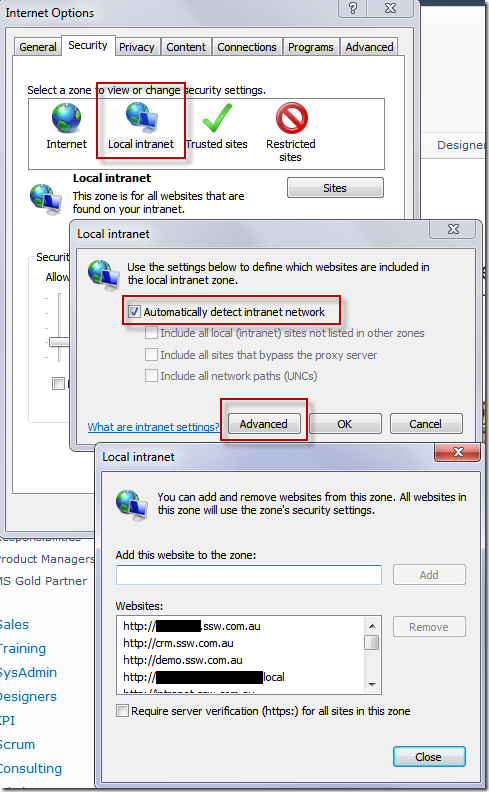
Figure: Set up Internet Explorer to automatically detect Intranet Sites
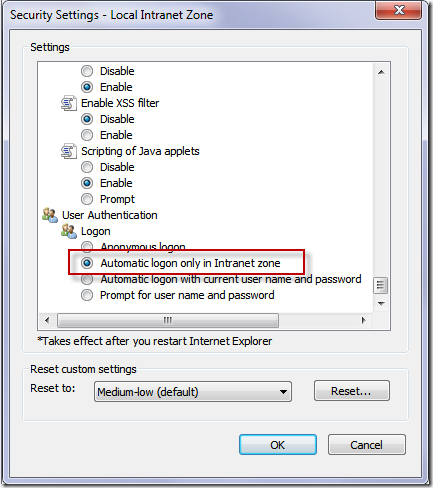
Figure: Default setting for “Automatic logon only in Intranet zone”
FireFox
You can also do this in FireFox, via a slightly different method.
First, about:config
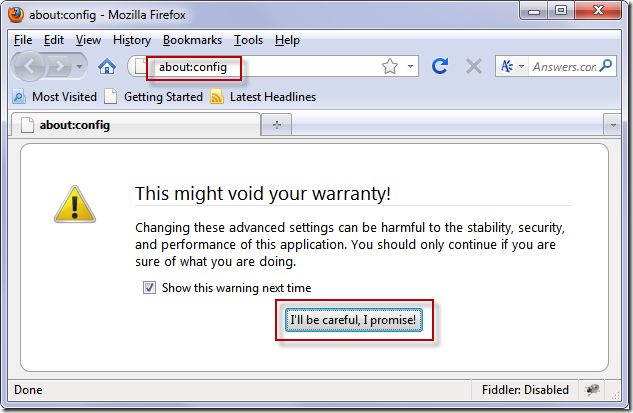
Figure: Make a promise to be careful
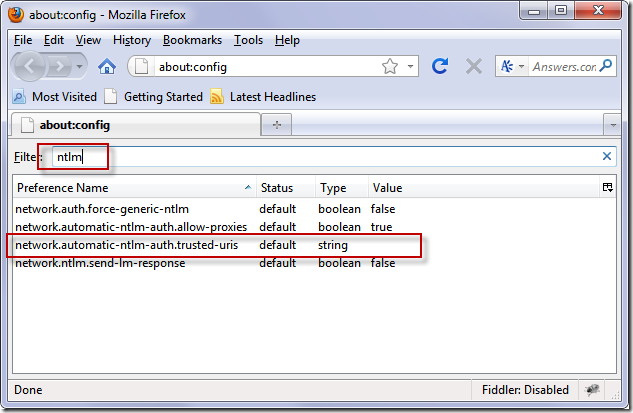
Figure: type NTLM, and find the trusted URIs setting
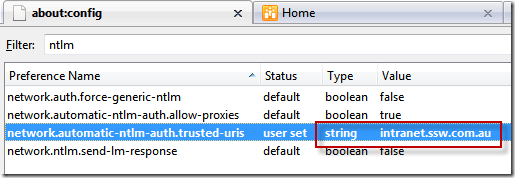
Figure: Double-click and enter your SharePoint server URI, e.g. Intranet.ssw.com.au
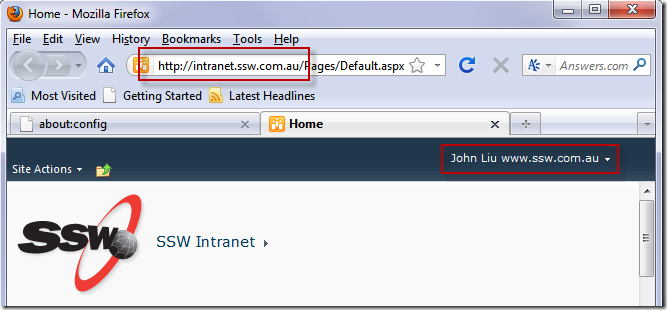
Figure: Automatic Windows Authentication sign-in in FireFox
(This tip is of course, Windows-only).
Discussions