Line break in InfoPath web browser forms
Microsoft once mentioned a line break trick using rules in InfoPath.
http://blogs.msdn.com/b/infopath/archive/2005/03/04/385577.aspx
The main problem we’re trying to dodge is being able to insert a special character (which is the chr(10) character), without InfoPath trying to be helpful and further encode our string.
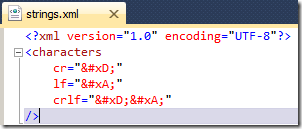
Step 1: Create XML file
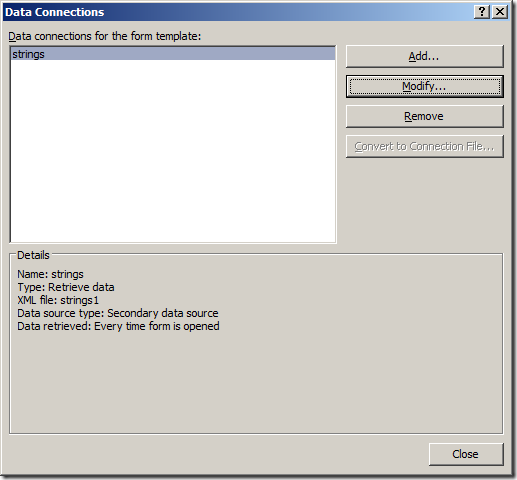
Step 2: Add secondary connection
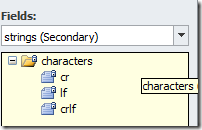
Step 3: check it’s now available in your secondary datasource
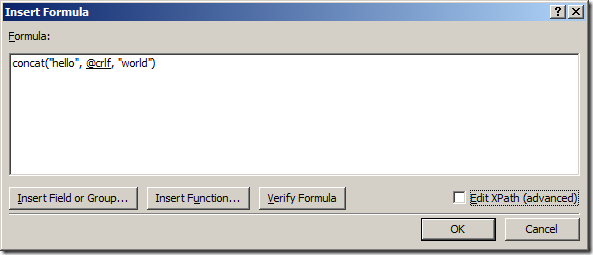
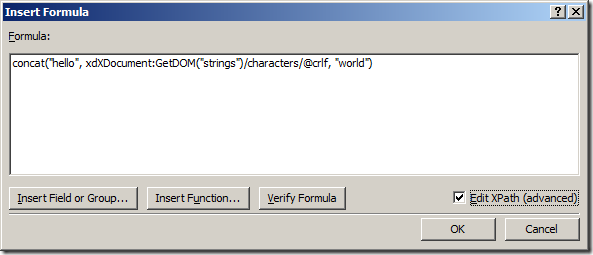
Step 4: when you need a newline character, insert it from the XML file.
Step 5: In InfoPath, you need to use the Textbox control, and enable multi-line.
Preview
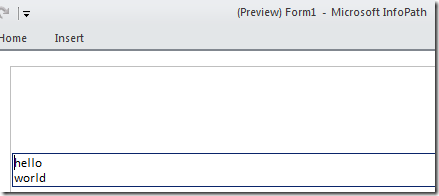
Figure: Preview in InfoPath Filler
If you publish to web, it will use a TextArea element, which supports the line break.
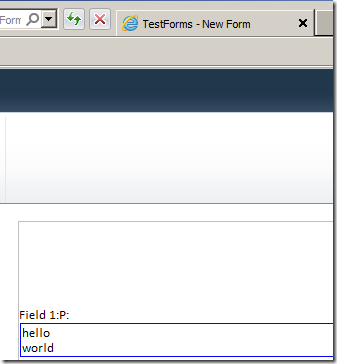
Figure: Via Form Server

Figure: Textbox rendered as textarea element
Notes
You can set the textbox to read-only if you want to use it like a label.
Discussions