InfoPath - removing newline (CRLF) using rules
-
In InfoPath (and in Windows in general), a newline is two characters \r\n (carriage return, followed by a newline character).
-
You can’t easily use \r or \n within InfoPath rules, since the XML is escaped into \\r and \\n defeating your intention.
-
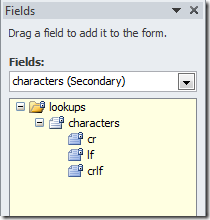
First, add a characters secondary data source: Add an external XML file for characters
You should get this secondary data source with the special characters we need.
-
On the field that you want to remove newlines, add a changed rule:
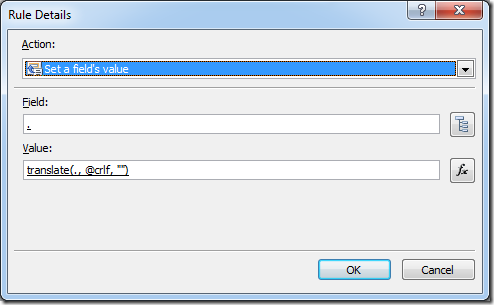
The translate rule is:
translate(., @crlf, "")
or expanded xpath:
translate(., xdXDocument:GetDOM(“characters”)/lookups/characters/@crlf, "")use select field and change the datasource to characters.
-
To prevent this rule from running into infinite loop, set a condition:
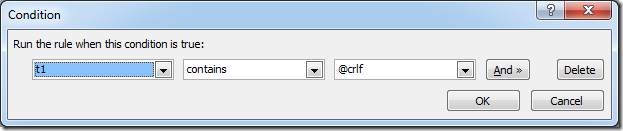
The expression is:
contains(., xdXDocument:GetDOM(“characters”)/lookups/characters/@crlf) -
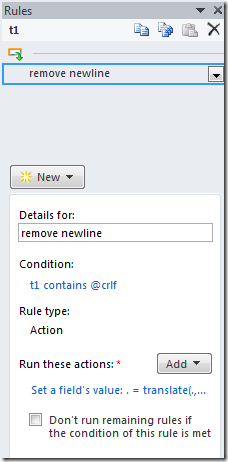
Result:
Test it!
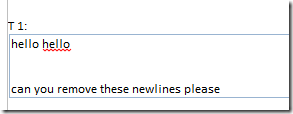
Test typing something with newline

Rule runs and removes any new line characters
Discussions