Diff Mode in Flow Studio
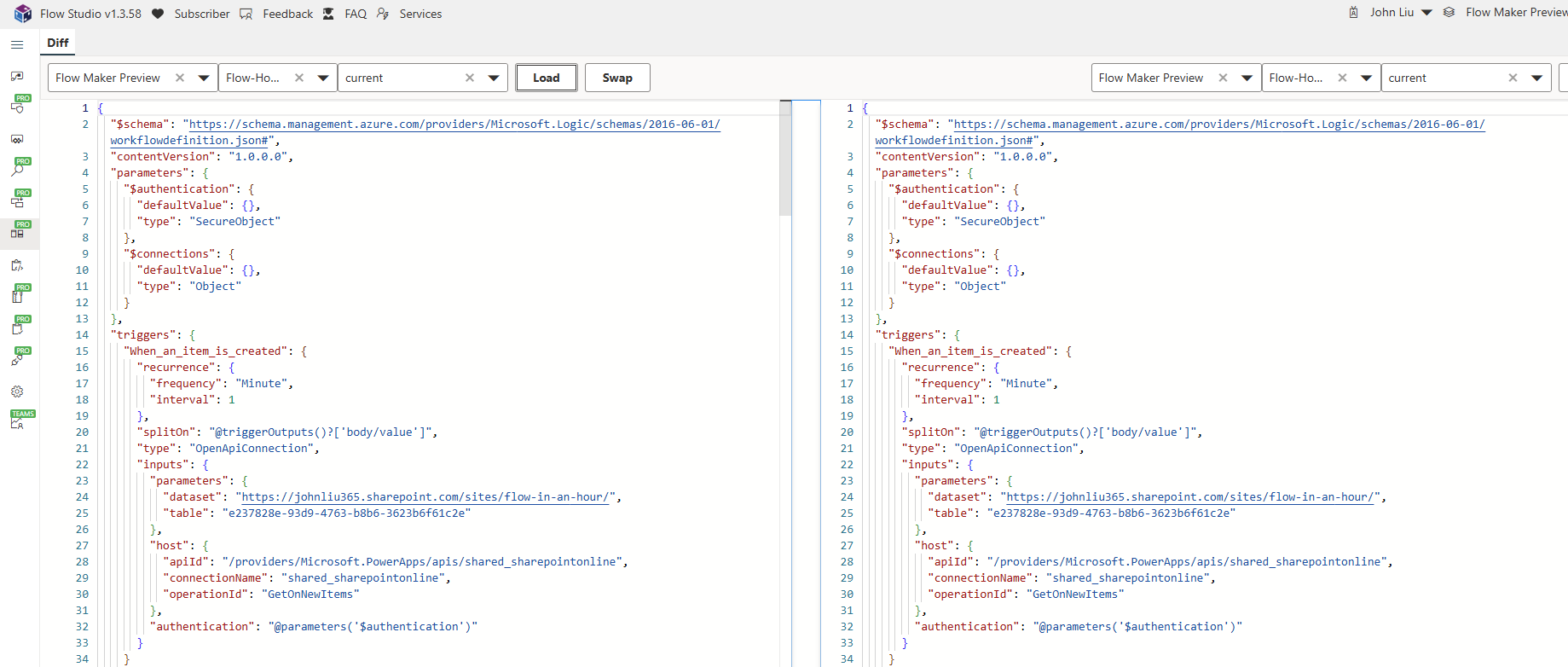
We are happy to introduce a new feature update in Flow Studio app. “Diff Mode”
-
Navigate to Diff on the left hand side.
-
Use the top dropdowns to select your environment, flow and (optionally) version. Hit “Load”
-
You can use Monaco (VS Code) editor to copy Flow definition differences to the right hand side.
-
The left hand side is always read-only.
-
Clicking “Save” will save the right hand side flow definition.
This is a feature previously hidden in “Snapshots” and “Diff” flow. But that experience only lets you compare between the flow and its previous versions. The new experience also let you compare a flow between two different environments. So if you have Dev, Test and Prod environments with unmanaged solutions - you may need this to keep your flows in sync.
Do test this out in https://dev.flowstudio.app v1.3.58 for now and give us your feedback. We’ll aim to push this to production build within 1 week.
Thank you for supporting Flow Studio App
Discussions